

Ten record types
A, MX, NS, CNAME, TXT, AAAA, PTR, CAA, SOA, and SRV. Pick a type, run Find, and compare what each server returns.
A DNS propagation checker with WHOIS, blacklist, DMARC, and more. WordPress is the faster path; PHP is the fuller toolkit for people who want SMTP tests, shareable results, and an API.
01 Overview
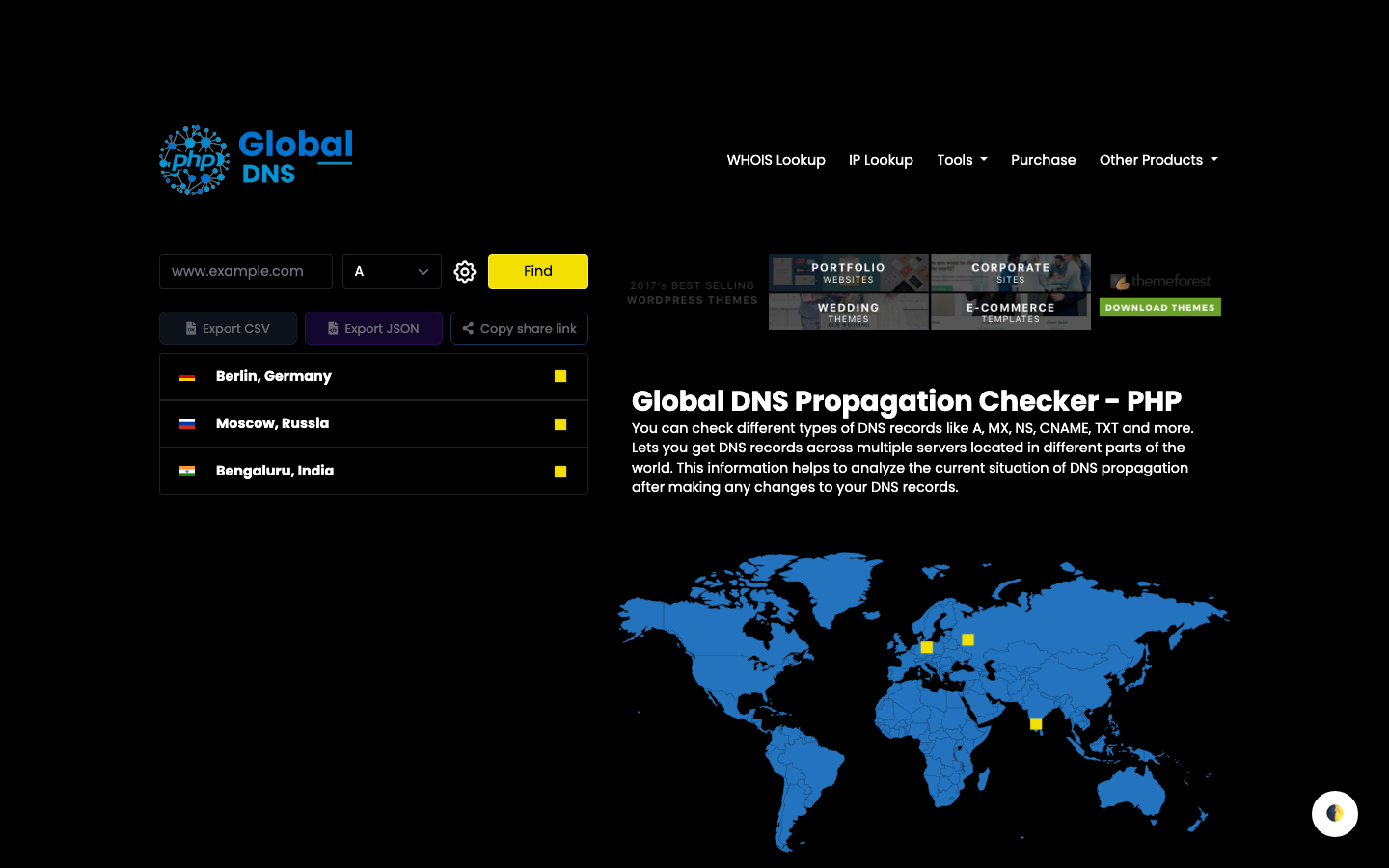
After you change an A record, an MX, or a TXT, different resolvers can disagree for a while. Global DNS asks the servers you add — Berlin, Sydney, California, or anywhere you point it — and shows the answers on a map. Ten record types ship with it: A, MX, NS, CNAME, TXT, AAAA, PTR, CAA, SOA, and SRV. Around that sit WHOIS, IP lookup, a blacklist checker, and mail checks for DMARC, SPF, and DKIM. The PHP edition adds an SMTP tester, an email header extractor, CSV/JSON export, and share links that expire after a week.
02 Features
The core is DNS propagation. The rest is the work that usually follows: who owns the domain, whether mail is listed, and whether SPF, DKIM, and DMARC line up.
A, MX, NS, CNAME, TXT, AAAA, PTR, CAA, SOA, and SRV. Pick a type, run Find, and compare what each server returns.
No cap on nodes. Add your own hosts, or use the free servers if you do not want to stand up probes yourself.
Trace registrar, owner, and tenure for a domain. Look up an IP when you need the other side of a record, not just the hostname.
Check a mail server IP against DNSBLs such as Spamhaus, Spamcop, and SORBS. If it is listed, some mail will not arrive.
Read the policies and selectors that decide whether mail authenticates. PHP also ships an SMTP tester and an email header extractor.
Download CSV or JSON, copy a shareable snapshot, and switch light or dark. PHP share links can expire after seven days.
03 How it works
You are not querying a single public resolver. You are asking the nodes you configured, then reading the spread.
The plugin drops a checker onto a WordPress page. The PHP edition is a standalone app if you want the extra tools and your own front end.
Give each node a name, coordinates, and a URL or DNS IP. More locations make the map useful. Free servers are there if you are not ready to host probes.
Enter a domain, choose a record type, and run the check. Export CSV or JSON, or copy a share link when you need someone else to see the same snapshot.
04 Editions
Same lookups, two codebases. The plugin lives on a WordPress site. The PHP script is a standalone app.
Install the plugin, drop a shortcode, and you have a public checker on a page you already run.
A standalone app with the same lookups, plus SMTP, headers, shareable snapshots, and an API.
05 FAQ
WordPress if you already have a site and want the checker on a page this week — one buyer called it “well designed and thought out” and exactly what they needed. PHP if you want a standalone app, SMTP and header tools, shareable snapshots, and room to put your own front end on the API. The PHP codebase is what designers_code used to “create a custom front end in a few minutes.”
No. You can add unlimited remote servers, including cheap shared hosts, or use the free servers listed with the product. One PHP buyer called the option to get more servers without spending a lot on hardware “brilliant.” Direct lookups by DNS IP need shell_exec; WHOIS needs fsockopen and outbound TCP port 43.
Both editions check A, MX, NS, CNAME, TXT, AAAA, PTR, CAA, SOA, and SRV, and both cover WHOIS, IP lookup, blacklist, and DMARC. PHP also has SPF, DKIM, an SMTP tester, an email header extractor, CSV/JSON export, and share links. WordPress has DKIM and CSV/JSON on the public form as well; shareable snapshots are a PHP setting.
Yes. WordPress turns it on from the plugin settings; you may still need to match background colours in your theme. PHP lets the visitor toggle it, and respects a saved dark preference. The live demos show both skins on the same checker.
06 More from thehp
Temporary email for your domain.
A Laravel script for disposable email on your domain, with catch-all IMAP, five themes, ads, and a REST API.
Explore TMailTemporary SMS, rented or public.
A Laravel app for inbound SMS from any HTTP gateway. Public inboxes, rentals, wallets, Stripe, and webhooks.
Explore tSMSAll your channels in one widget.
A WordPress widget for WhatsApp, Telegram, live chat, email, and callbacks, with timezone-aware agent hours.
Explore AIO ContactOfficial WhatsApp API marketing.
WhatsApp marketing on Meta's official API: campaigns, a shared inbox, chatbots, and a free forever plan too.
Explore SamvadWhatsApp campaigns, your number.
WhatsApp campaigns from your own number. Start sending messages instantly with delivery reports.
Explore Prasar