

Many channels, one button
Email, callback, WhatsApp, Telegram, Skype, Viber, Messenger, Crisp, and more — added as items, shown in one floating list.
01 Overview
AIO Contact is a WordPress plugin that folds contact options into a single floating widget. WhatsApp, Telegram, Skype, Viber, email, a callback form, or a live chat tool — they choose. Give each agent a schedule in their own timezone. The widget compares that with the visitor’s time, marks who is available, and can hide anyone who is not. Contact Form 7 covers email and callback requests; a shortcode can sit in the list as its own item. Show the button only on certain URLs, or hide it on others, then set colours, animation, and position.
02 Features
Messaging apps and live chat in the same list, with hours that follow each agent’s timezone.
Email, callback, WhatsApp, Telegram, Skype, Viber, Messenger, Crisp, and more — added as items, shown in one floating list.
Hook up Zendesk, Support Board, Tawk.to, Crisp, Paldesk, Tidio, or Jivochat so the same button opens the chat you already run.
Set days, start and end times, and a timezone per agent. Availability is matched to the visitor. Hide anyone who is off-shift.
Drop in email and callback forms you already built in Contact Form 7. They open as items in the same widget.
Any shortcode can be a widget item. Use it for a form, a custom block, or anything else WordPress can render inline.
Show only on chosen URLs, or hide on specific pages. Set colours, borders, position, orientation, and whether the icon animates.
03 How it works
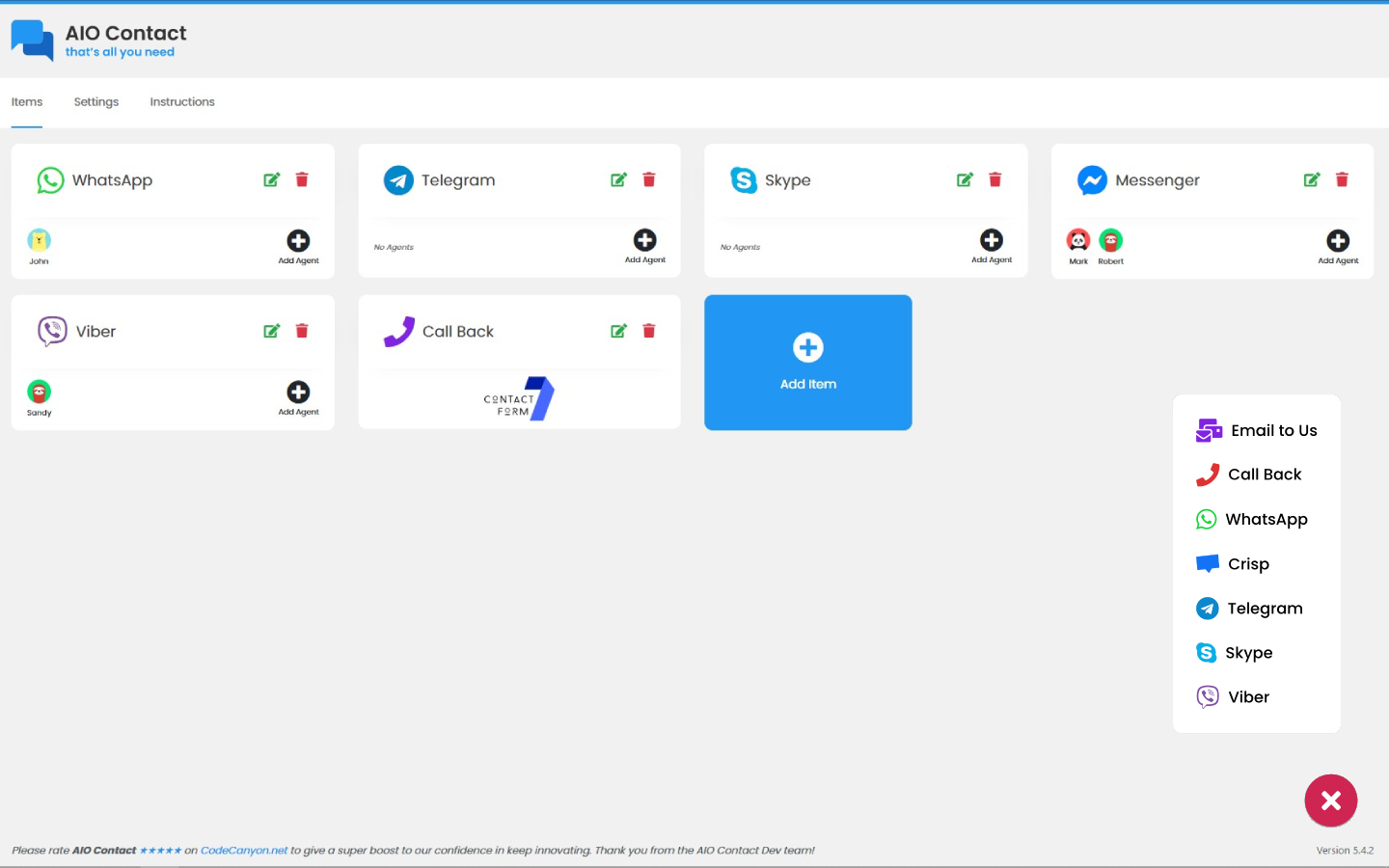
The admin is a card grid: channels, agents, then settings. The playground demo lets you tweak the look before you buy.
Install the plugin and add items — a messaging app, a live chat snippet, a Contact Form 7 form, or a shortcode. Each card gets a title, icon, and colour.
Attach agents to a channel with avatar, days, start and end time, and timezone. Turn on “hide not available” if you only want people who are on shift.
Pick a corner, colours, and animation. Limit the widget to certain URLs if you need to. Visitors tap the button and choose how to get in touch.
04 FAQ
Zendesk, Support Board, Tawk.to, Crisp, Paldesk, Tidio, and Jivochat are built in. Messenger is there too. Messaging apps such as WhatsApp, Telegram, Skype, and Viber sit in the same list as those live chats.
Each agent has days, a start time, an end time, and a timezone. AIO Contact compares that with the visitor’s timezone and shows whether the agent is available. You can hide agents who are off-shift so the list stays short.
Yes. Contact Form 7 forms — email or callback — can be items. A shortcode can be an item as well, if you need something Contact Form 7 does not cover.
It is a WordPress screen with Items, Settings, and Instructions. Channels are cards; agents attach to a card; appearance is a settings form. Buyers tend to mention that layout first — one called it “superb easy to use.” Needs WordPress 4.0 or above.
05 More from thehp
Temporary email for your domain.
A Laravel script for disposable email on your domain, with catch-all IMAP, five themes, ads, and a REST API.
Explore TMailTemporary SMS, rented or public.
A Laravel app for inbound SMS from any HTTP gateway. Public inboxes, rentals, wallets, Stripe, and webhooks.
Explore tSMSDNS checks from servers you add.
A DNS checker you host, as WordPress or PHP. Ten record types, WHOIS, DMARC, blacklist, plus a map of nodes.
Explore Global DNSOfficial WhatsApp API marketing.
WhatsApp marketing on Meta's official API: campaigns, a shared inbox, chatbots, and a free forever plan too.
Explore SamvadWhatsApp campaigns, your number.
WhatsApp campaigns from your own number. Start sending messages instantly with delivery reports.
Explore Prasar